Your Umorrow account, sync and sharing
Create your Umorrow account to sync your plans across devices and share selected planning with a partner.
Keep your plans in your account and choose what to share
An Umorrow account keeps your cycle settings and events in sync across devices. It also lets you connect with a partner and choose what planning to share. Creating an account does not automatically share your calendar with anyone.
Actual Umorrow workflow
- Open Umorrow and choose Log in or create an account.
- Choose Sign up to create your account, or log in to an existing one.
- Complete your cycle setup if you want to plan around your own cycle.
- Create your cycle-day and calendar-date events, and check that they have synced.
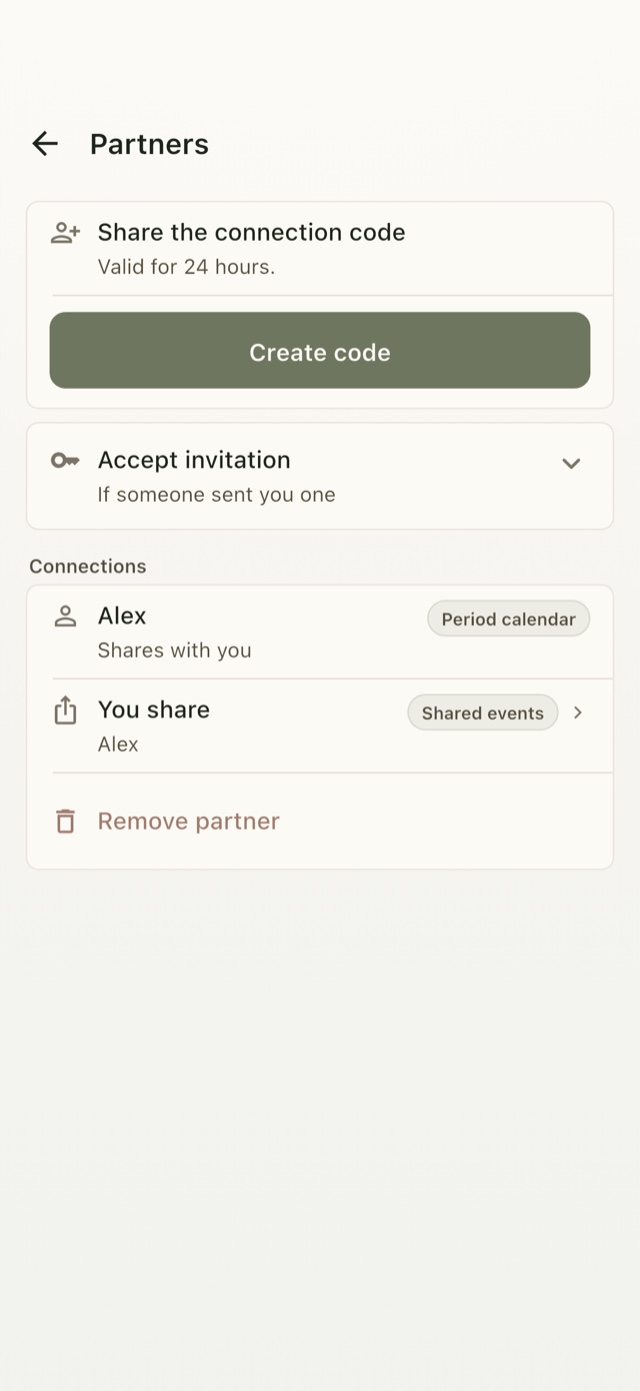
- To connect with a partner, open Partner sharing and create or accept an invitation.
- Choose what you share. Your partner controls their own sharing separately.
Keep your plans across devices
Sign in to the same account on another device to access your synced planning data. Sync needs a connection; if a change is still pending, let it finish before relying on it on another device.
Share deliberately
You decide whether to share cycle-calendar context or selected events with a connected partner. Individual events must be marked for sharing before they appear at the shared-reminders level. You can change the sharing level or remove the connection.
Know where your data goes
Your account stores planning data on Umorrow's servers so it can sync. The privacy policy explains the data and services involved, and the account deletion page explains how to remove your account.
Plan by cycle day or calendar date
Create your Umorrow account to keep your plans in sync across devices. Available for iPhone and Android.